Helping employees stay on top of assignments beyond the office
SKK Migas was established by the Government of Indonesia to manage upstream oil and gas business activities. To support its administrative workflow, the institution used ePAU, an internal system for organizing, distributing, delegating, and tracking employee assignments.
The system was useful, but it was available only through a website. Employees who worked outside the office or commuted frequently could not easily access assignments, respond to tasks, or follow up with colleagues and managers while away from their desks.
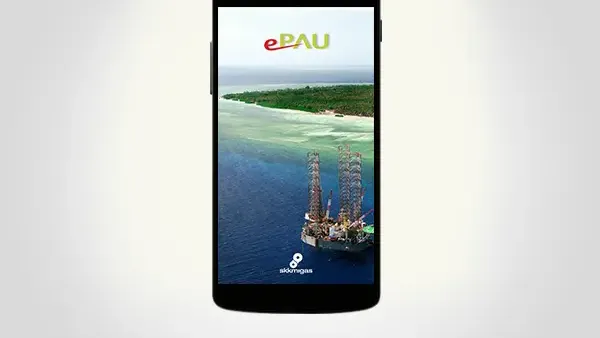
Suitmedia developed ePAU Mobile as a secure mobile extension of the existing system. The application provided task visibility, search, follow-up, acceptance, attachments, and push notifications while integrating with SKK Migas’s internal infrastructure.
The goal was not to replace ePAU. It was to make the existing workflow more accessible without weakening the security and control required by a government institution managing sensitive energy-sector operations.
A functioning assignment system was limited by where employees could access it
1. Administrative work did not stop when employees left the office
SKK Migas employees could receive and manage assignments through ePAU, but the website-based system tied access to a desktop or browser environment.
Employees who traveled, commuted, attended meetings, or worked outside the office had limited visibility into new tasks and updates.
This created a mismatch between the way work happened and the way the system could be accessed. Assignments continued to move, but employees could not always respond at the same speed.
2. Delayed access could slow the entire workflow
An assignment system depends on timely action. A task may need to be accepted, delegated, reviewed, or escalated before another person can continue the work.
If an employee cannot see a new assignment until returning to the office, the delay can affect several people downstream. A small access limitation can therefore create a larger process bottleneck.
SKK Migas needed to reduce the time between a task being assigned and the responsible employee becoming aware of it.
3. Employees needed more than simple notifications
A notification can tell someone that a task exists, but it does not complete the workflow.
Employees needed to review task details, search their assignment list, accept tasks, follow up with subordinates or heads, and manage supporting attachments.
The mobile solution had to provide enough functionality for employees to act, not merely alert them that action was required.
4. The existing ePAU system was already important to operations
ePAU had been running smoothly and supported a process central to SKK Migas’s administration.
A mobile project could not introduce a disconnected task system that created competing records or required employees to manage the same assignment in two places.
The mobile app needed to work as an extension of ePAU. It had to preserve existing records, responsibilities, and workflow logic while making access easier.
5. Integration involved a sensitive internal environment
SKK Migas operates in the energy sector and manages internal administrative information. Connecting a mobile application to its assignment system required careful attention to security, network access, and data handling.
The development and testing process had to work through SKK Migas’s intranet connection. This ensured that the application was tested against the institution’s actual internal environment rather than an isolated external setup.
6. The app needed to support different levels of responsibility
ePAU assignments could involve employees, subordinates, and heads. Users might need to accept their own tasks, follow up with someone below them, or escalate an issue to a superior.
The mobile experience had to reflect this hierarchy clearly. Users needed to understand which actions they were authorized to take and who should receive a follow-up.
This made role and responsibility an important part of both design and system integration.
7. Attachments were part of the assignment record
Tasks often depend on supporting files, instructions, or evidence. If employees could view a task but not manage its attachments, they might still need to return to the desktop system.
The application needed to make attachments accessible and manageable from mobile. This would allow employees to work more completely while away from the office.
8. Security could not be traded for convenience
Mobile access increases convenience, but internal access through personal or portable devices can also introduce security concerns.
SKK Migas needed to ensure that only authorized employees could access the application and the information connected to their assignments.
The solution had to make the secure path simple enough for regular use. Security that is too difficult can lead users to avoid the system or create informal workarounds.
9. The system needed to be useful for frequent mobile workers
The value of ePAU Mobile depended on how well it supported employees who were often away from their desks.
A mobile application had to be quick to open, easy to navigate, and focused on the actions users were most likely to perform while moving between locations.
This created a clear design priority: make assignment management practical in real work conditions, not only on a desktop screen.
Extending ePAU without breaking the existing workflow
1. Treat the mobile app as a secure companion to ePAU
Suitmedia developed ePAU Mobile as an extension of the existing ePAU system.
This preserved the value of SKK Migas’s established workflow while adding a more flexible access layer. Employees could use mobile access without abandoning the central assignment system.
The approach reduced disruption and avoided creating duplicate processes.
2. Use push notifications to surface new assignments
Push notifications alerted employees when relevant task activity occurred.
This reduced the delay between assignment and awareness. Employees could learn about new work without remembering to open the ePAU website manually.
Notifications were particularly valuable for mobile workers. They brought important changes to the user instead of requiring the user to search for them.
3. Give users a clear view of assigned tasks
The app allowed users to view their employee tasks through a mobile interface.
This gave employees a direct overview of their responsibilities and helped them understand what required attention.
A clear task view also supported prioritization. Employees could see their work in one place rather than reconstructing it from messages, memory, or separate documents.
4. Add task search for large or active lists
Users could search their task list to find specific assignments.
Search reduced the effort required to navigate a growing set of tasks. Employees did not need to scroll through every assignment to locate one particular item.
This was important for productivity. A task management app should help users find work quickly, especially when they are responding to a question or follow-up request.
5. Support task acceptance from mobile
Employees could accept tasks directly through the application.
This created a clearer transition between assignment and ownership. The employee could acknowledge responsibility without waiting to return to a desktop environment.
For managers and colleagues, acceptance also provided a more visible signal that the task had reached the intended person.
6. Enable follow-up with subordinates
The app allowed users to follow up on tasks with subordinates when required.
This supported the organization’s hierarchy and delegation process. A manager could continue coordinating work while away from the office instead of waiting until returning to the website.
The feature made the system more complete. Users could manage not only their own tasks, but also the responsibilities they delegated or monitored.
7. Enable follow-up with heads
Users could also follow up with heads or superiors when necessary.
This helped employees escalate questions, status updates, or required decisions through the same assignment environment.
A clear escalation path reduced the need to move to informal communication channels that might not preserve the task context.
8. Keep the assignment context connected to communication
Follow-up is more useful when it remains connected to the original task.
The application allowed users to manage these interactions within the ePAU context, helping preserve the relationship between the assignment, the responsible person, and the next action.
This reduced ambiguity. Users could understand why a follow-up was being made and which task it related to.
9. Manage task attachments from the app
The application allowed users to manage their own task attachments.
This meant employees could review or provide supporting files while working remotely or traveling. They did not need to return to the desktop system simply to handle an attachment.
The feature supported end-to-end mobile work. Users could see the task, accept it, communicate about it, and manage the supporting information through one application.
10. Connect through the SKK Migas intranet
Suitmedia used SKK Migas’s internal intranet connection during development and testing.
This ensured that the mobile application was integrated with the environment in which ePAU operated. It also allowed the team to validate how the app handled internal access and data exchange.
Testing within the real network context reduced the risk of discovering integration or security issues only after deployment.
11. Preserve existing ePAU data and logic
The mobile application needed to work with the existing ePAU system rather than create a separate mobile-only record.
This protected consistency. An assignment accepted on mobile needed to be reflected in the broader system, and a task updated through ePAU needed to remain visible to the mobile user.
A shared underlying process ensured that mobile access improved the workflow rather than dividing it.
12. Design for role-aware actions
Different users had different responsibilities within the assignment system.
The app needed to show appropriate actions based on whether the user was receiving, delegating, reviewing, or escalating a task.
This reduced confusion and supported secure operation. Users could access the functions required for their role without seeing an unclear list of actions that did not apply to them.
13. Keep the interface focused on productivity
The app’s design needed to support fast task management rather than introduce unnecessary visual complexity.
Employees using it outside the office may have limited time and attention. They needed to identify new assignments, search tasks, accept work, and follow up quickly.
A focused interface made the application more useful in real working conditions.
14. Build security into mobile access
Suitmedia took a comprehensive approach to secure access for the internal mobile application.
The solution had to balance authentication, internal connectivity, role-based actions, and ease of use. Users should be able to access the app confidently without creating new risk for the institution.
Security was therefore part of the product experience. The app had to make the correct and authorized path the most practical path.
15. Create a foundation for future productivity features
Once task visibility and follow-up were available on mobile, SKK Migas could consider future improvements to internal work management.
Additional notifications, reporting, approvals, or workflow actions could potentially be added to the same mobile foundation.
This made ePAU Mobile a starting point for broader workplace digitalization rather than a one-feature application.
Employees gained a more responsive way to manage assignments
1. Work assignments became accessible outside the office
ePAU Mobile allowed employees to view their tasks through a mobile device.
This removed the need to wait until they could reach a desktop or office network environment to understand their responsibilities.
The improvement was especially valuable for employees who commuted frequently or worked away from the office.
2. Notifications reduced delay between assignment and action
Push notifications helped employees become aware of new assignments more quickly.
This improved the flow of work and reduced the chance that tasks would remain inactive simply because the responsible employee had not checked the website.
The benefit extended to managers and heads, who could expect faster acknowledgment and follow-up.
3. Employees could manage tasks more independently
Users could view and search their task lists, accept assignments, and manage attachments through the mobile app.
This reduced dependence on administrative assistance or informal communication for routine task management.
Employees gained greater control over their own work while continuing to operate within SKK Migas’s established system.
4. Follow-up became more responsive
The ability to follow up with subordinates or heads from mobile helped keep work moving across organizational levels.
Users did not have to wait until they returned to the office to ask for an update or escalate a requirement.
This supported better coordination and reduced delays caused by location.
5. Task attachments remained available during mobile work
Employees could manage supporting attachments through the application.
This made it easier to continue work in different settings and reduced the need to switch back to the website for a basic task-related action.
The result was a more complete mobile workflow, not just a read-only task list.
6. The mobile app preserved the existing system’s reliability
Because the app was synchronized with the internal ePAU system, employees could use mobile access without creating separate records or conflicting task states.
This maintained the integrity of the institution’s assignment process while improving convenience.
The organization gained flexibility without sacrificing a consistent source of information.
7. SKK Migas strengthened administrative productivity
The application reduced the friction involved in distributing, receiving, tracking, and following up on assignments.
Employees could act faster, while managers had greater visibility into task movement.
The combined effect was a more responsive administrative workflow and better use of employee time.
8. Internal communication became more connected to work
Follow-up actions remained connected to the tasks that prompted them.
This reduced the need to move into separate messaging channels where context could be lost or records could become fragmented.
The app helped bring communication and work management closer together.
9. Security supported adoption
The secure approach to internal mobile access helped make the application suitable for sensitive institutional work.
Users could access the system with greater confidence, while SKK Migas could protect its internal information and workflow.
This balance was important because convenience without security would not have been acceptable for the organization.
10. The solution created a stronger basis for future workplace mobility
ePAU Mobile demonstrated that SKK Migas’s internal systems could be extended to support employees beyond the office.
This created a foundation for future mobile access to other administrative and operational services.
The broader result was greater organizational flexibility. Work no longer had to remain tied to one physical location or device.
The deeper lesson: productivity grows when work can follow the employee
1. Mobile access should remove location-based delay
Employees may be away from the office when a task is assigned or when a decision is needed.
A mobile extension allows work to continue in the context where it actually happens. This is particularly valuable for employees who travel or move between locations.
2. Notifications are useful when they lead to action
An alert creates value when the user can open it, understand the task, and act immediately.
Push notifications should therefore connect directly to the relevant work item rather than simply announce that something exists.
3. Mobile productivity tools need more than read access
Employees need to accept, update, follow up, escalate, and attach information from mobile.
A read-only application may improve awareness but leave the underlying delay intact. Full value comes from supporting the actions that move work forward.
4. Integration protects operational consistency
A mobile app should not become a separate task database.
Connecting it to the existing system ensures that updates, ownership, and status remain consistent across channels. Integration creates convenience without creating parallel records.
5. Security must be practical for daily use
Internal systems need strong protection, but security should not make routine work impossible.
The best design makes the authorized and secure path easy to use. This supports both compliance and adoption.
6. Hierarchical workflows should be visible and clear
Assignments often move between employees, subordinates, and managers.
A mobile system should make these relationships understandable so users know who must act next and where to escalate an issue.
7. Internal systems should support the way work is changing
Employees increasingly work across offices, sites, commutes, and remote settings.
Mobile access helps organizations adapt without sacrificing control. It allows existing processes to become more flexible without requiring a complete change in how work is governed.
8. Productivity should be measured by time and uncertainty removed
A successful task management app reduces waiting, searching, repeated follow-up, and unclear responsibility.
These improvements may seem small individually, but they accumulate across an organization. The result is a more responsive and disciplined workflow.
Strategic Insights for the C-Suite
- Make critical work accessible wherever employees operate. Location-bound systems create delay when assignments continue outside the office. Mobile access can improve responsiveness without changing the underlying process.
- Design notifications to open a path to action. Alerts should lead users directly to the task, context, and next step. Awareness without the ability to act does not improve productivity.
- Extend systems, do not fragment them. Mobile applications should connect to existing systems of record so updates, ownership, and status remain consistent across channels.
- Support the full task lifecycle on mobile. Viewing is only the beginning. Employees need to accept, follow up, escalate, and manage attachments if the platform is expected to improve workflow speed.
- Treat secure access as part of user experience. The right security model protects internal information while keeping daily work practical. Adoption is strongest when the secure path is also the easiest path.