Helping 20,000 festival-goers move, discover, and participate with confidence
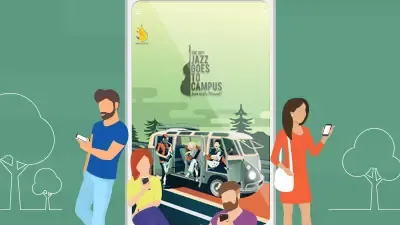
Jazz Goes to Campus (JGTC) is one of Indonesia’s longest-running and most recognized jazz festivals. By 2016, the event was entering its 39th year, with more than 20,000 people attending the previous edition.
That scale created a practical challenge. Attendees needed current information about performers, schedules, venues, tickets, and event updates, but the festival also wanted to deepen the relationship between audiences and artists. The experience had to remain exciting without becoming difficult to navigate.
Suitmedia developed a mobile application that supported the full festival journey. It helped audiences discover the lineup, plan their day, navigate the venue, purchase tickets, follow social activity, rate performers, and connect with other attendees.
The goal was not to add technology for its own sake. It was to remove avoidable friction so people could spend more of their attention enjoying the music and the community around it.
A growing festival needed to solve the logistics of scale
1. More attendees meant more information to coordinate
A festival with more than 20,000 attendees generates a large volume of practical questions. People want to know who is performing, when each act starts, where each stage is located, how to buy tickets, and what has changed since the last announcement.
When this information is spread across posters, social media, websites, and announcements, attendees have to assemble the experience themselves. This becomes more difficult as the event grows and the number of performers and locations increases.
JGTC needed a central information source that could serve thousands of attendees quickly and consistently.
2. The audience needed to plan around a changing schedule
Festival-goers rarely attend every performance. They make choices based on their preferred artists, the timing of each set, the distance between stages, and the availability of their friends.
A static schedule can tell people what is happening, but it does not necessarily help them plan their own day. Attendees need a way to scan the full program, focus on what matters to them, and remember when they need to move.
The application had to make the schedule useful as a planning tool rather than simply reproducing a printed program.
3. A large venue created navigation problems
Festival grounds can be confusing, particularly for first-time visitors. Attendees may need to find stages, entrances, food areas, facilities, or activity zones while moving through crowds.
A manual venue map can be difficult to carry, search, and update. It may also become damaged or unreadable during a long day outdoors.
JGTC needed a simpler way for attendees to understand the venue and move between performances without repeatedly asking staff for directions.
4. Ticket purchase needed to be convenient and secure
Buying a ticket is the first major action in the festival journey. If the process is difficult, potential attendees may abandon the decision before reaching the event.
JGTC wanted users to buy tickets through the app, making the process more accessible while they were on the move.
The digital ticket also reduced dependence on paper. Attendees would not need to worry about losing a physical ticket before the event, while the organizer could provide a more connected path from purchase to entry.
5. The festival needed a stronger relationship with performers
JGTC was not only a sequence of performances. It was also a meeting point between artists and audiences.
The organizer wanted attendees to engage with performers through ratings and conversation. This gave audiences a voice and created a way to understand which acts connected most strongly with the crowd.
The challenge was to add interaction without distracting from the live experience. Engagement needed to feel like part of the festival, not another task competing with the music.
6. Social activity was already part of the event
Attendees were likely to share their experiences on Twitter and Instagram. These posts could help extend the festival’s reach, but they were scattered across external platforms.
JGTC wanted to bring relevant social activity into the application so users could follow what was happening across the event community without switching between channels.
This created a more connected experience. The app could become a place where attendees discovered both official updates and audience activity.
7. Smartphones were becoming the natural festival companion
People already used their phones to communicate, search for information, take photos, and manage plans.
A mobile application could meet attendees in this existing behavior. It could support the practical and social dimensions of the event from one device.
The opportunity was to make the phone a helpful layer around the festival without allowing it to overshadow the live experience.
8. The application needed to work in imperfect conditions
Large events can involve crowded networks, inconsistent connectivity, and battery concerns. Attendees cannot assume that every feature will load instantly at all times.
The venue map, in particular, needed to remain useful even when connectivity was limited. If an attendee could not access directions when lost, the feature would fail at the moment it was most needed.
The app needed to prioritize essential information and support offline use where possible.
Designing the app around how festival-goers make decisions
1. Start with the full event journey
Suitmedia approached the application across three stages:
- Before the festival: discover the lineup, buy tickets, and prepare.
- During the festival: follow schedules, navigate the venue, and participate.
- After and throughout the event: share experiences, rate performers, and remain connected.
This lifecycle approach prevented the app from becoming a one-day schedule viewer. Each stage offered a different type of value.
The application could help build anticipation before the event, reduce friction during the experience, and strengthen the festival community while performances were taking place.
2. Make the lineup easy to explore
The app presented the full artist lineup through a visual interface.
This helped users discover performers and understand the range of the festival. Visual representation also made the lineup more engaging than a long text-only list.
Attendees could use the lineup as the starting point for planning. They could identify the artists they cared about and then connect those choices to the schedule.
3. Connect artists with useful information
Lineup discovery was more valuable when users could move from an artist to relevant performance details.
The app helped create this connection. Users could explore the artist, understand when the performance was scheduled, and plan accordingly.
This reduced the need to search across different pages or channels. The information followed the user’s decision rather than remaining separated by content type.
4. Use a vertical schedule for quick scanning
The schedule used an intuitive vertical view.
A vertical format matched the way people typically scan time-based information on a phone. Users could move through the day, understand what was happening next, and see the relationship between performances.
The design made the program feel manageable. Attendees did not need to interpret a complicated timetable before deciding where to go.
5. Support personal planning
The schedule helped users decide which performances to attend and when to move between venues.
This gave the audience more control over the day. Each person could build a personal festival experience based on preferred artists, timing, and location.
Personal planning also reduced disappointment. Attendees were less likely to miss a performance simply because they lost track of time.
6. Deliver breaking information through push notifications
Push notifications allowed JGTC to deliver timely updates directly to attendees.
Notifications could communicate schedule changes, important announcements, or other information that required attention during the event.
This created a more responsive relationship between the organizer and the audience. Attendees did not need to keep checking multiple channels for updates.
7. Use notifications selectively
The value of push notifications depended on relevance. Too many messages could distract users or lead them to ignore future alerts.
The application therefore needed to treat notifications as an information service, not simply a broadcasting tool. Messages should help attendees make decisions or stay aware of important changes.
Relevant alerts could improve confidence and reduce confusion during a crowded event.
8. Replace the manual map with an offline venue guide
The app included a simplified and accurate offline map.
This reduced the need for attendees to carry a paper map or rely on a constant internet connection. Users could find their way around the venue even when network conditions were unreliable.
The offline capability was a practical design decision. It prioritized the feature most likely to be needed during movement and uncertainty.
9. Make the map easy to understand at a glance
A festival map can contain many locations, but attendees usually need one answer: where do I go next?
The design simplified the map so users could identify important areas without interpreting excessive detail.
This helped the map support action. It was not intended to document every aspect of the venue; it was designed to help people move through it.
10. Bring Twitter and Instagram activity into the app
Users could view social media activity related to JGTC through the application.
This created a central stream of event conversation. Attendees could see what the community was sharing, follow updates, and remain connected to the wider festival atmosphere.
The feature also supported social discovery. People could encounter moments and perspectives they might have missed in person.
11. Create a space for audience feedback
The app allowed users to rate performers.
This gave attendees a simple way to express their reactions while the performances were still fresh. It also gave the organizer information about which artists created the strongest audience response.
Real-time feedback was more valuable than a delayed survey because it captured sentiment in the context of the live experience.
12. Add a shoutbox for audience interaction
The shoutbox created a space where attendees could communicate and share reactions.
It added a social layer to the event, allowing users to feel connected even when they were watching different performances or standing in different parts of the venue.
The feature supported community formation. JGTC became not only a set of stages, but also a shared digital conversation.
13. Make ticket purchasing easier through the app
The application provided a simpler way for users to buy tickets.
This reduced the distance between discovering the festival and committing to attend. Users could purchase through a device they already used for information and communication.
A connected ticket journey also made the app more valuable before the event. It became part of the decision to attend, not only a tool used after purchase.
14. Reduce the risk of losing paper tickets
Digital ticket access reduced dependence on physical ticket documents.
Attendees did not need to carry and protect a paper ticket throughout the preparation period. The app gave them a more convenient way to manage access to the event.
This also supported a more modern event image. The festival could present itself as organized and responsive to contemporary audience behavior.
15. Use flat design to keep the experience focused
The interface used a flat design approach with limited visual effects, gradients, shadows, and decoration.
This created a cleaner experience that emphasized content and actions. Users could focus on lineup information, schedules, maps, and participation features without being distracted by unnecessary visual treatment.
Flat design also supported performance. A simpler interface could feel more responsive and easier to use on mobile devices.
16. Use minimalist navigation to reduce search time
The navigation was intentionally simplified.
Users needed to reach key information within seconds, especially when standing in a crowded venue or deciding what to do next. A compact structure helped them avoid unnecessary steps.
This supported the central purpose of the app: make the festival easier to experience, not create another system to learn.
17. Design for changing conditions during the event
Festival environments are dynamic. Schedules may change, crowds may move, and attendees may switch between socializing, watching performances, and navigating the venue.
The app needed to remain useful in these changing conditions. Timely updates, offline maps, clear schedules, and accessible social features helped it respond to the reality of the event.
The design had to support quick, interrupted interactions rather than assume users would sit down and browse calmly.
18. Create a reusable foundation for future editions
JGTC was an established annual festival. The mobile application created a structure that could support future editions with new artists, schedules, maps, and activities.
This gave the organizer a reusable digital foundation. Each festival could build on previous learning rather than starting with a new digital approach.
The app made the festival more navigable, social, and memorable
1. Attendees gained one place for key festival information
The application brought together lineup details, schedules, speakers or performers, maps, social feeds, tickets, and interaction features.
This reduced the effort required to manage the event. Attendees could prepare before arriving and find guidance during the festival.
The app became a practical companion rather than a separate promotional channel.
2. Artist discovery became more engaging
The visual lineup helped attendees explore the festival’s performers and identify acts that interested them.
This supported anticipation before the event and planning during it. Users could move from discovering an artist to understanding when and where to see them.
The result was a more personal festival experience.
3. Schedule access helped users avoid missed performances
The vertical schedule and reminders gave attendees greater control over their time.
They could check what was happening next and prepare to move between performances. This helped reduce one of the most common festival frustrations: missing an artist because of poor planning.
4. The offline map improved movement around the venue
The simplified offline map made it easier for users to locate important areas without relying on paper or constant connectivity.
This reduced uncertainty and helped attendees spend more time enjoying the festival rather than asking for directions.
The feature also supported operational efficiency by reducing routine navigation questions directed to staff.
5. Digital ticketing improved convenience
Users could purchase tickets through the application and avoid dependence on paper tickets.
This created a smoother path from interest to attendance and reduced a common source of worry before the event.
The ticket feature also made the app useful before users arrived, increasing the opportunity for early engagement.
6. Social content extended the event atmosphere
Twitter and Instagram activity brought audience conversation into the application.
Users could see what others were sharing and remain connected to the wider JGTC experience. This helped create a sense of community across different areas of the venue.
The event could continue to generate digital energy even when attendees were focused on separate performances.
7. Ratings gave attendees a voice
Performer ratings created a direct feedback channel for the audience.
The organizer could learn which performances resonated most strongly, while attendees could express their reactions through the app.
This created a more participatory relationship between the festival and its audience.
8. The shoutbox strengthened audience connection
The shoutbox gave users a space to chat and share the experience.
It helped attendees feel part of a broader community and supported interaction beyond the physical groups they arrived with.
The feature added social depth to the festival without requiring users to leave the app.
9. The app improved engagement during the event
By combining information, planning, navigation, feedback, social interaction, and ticketing, the platform gave attendees many reasons to use it.
The app supported the event at the moments when users needed help and the moments when they wanted to participate.
This created a richer relationship between the audience and JGTC. Technology became part of the festival’s atmosphere rather than a separate layer outside it.
10. The minimalist design made the experience easier to use
The clean flat interface reduced distractions and helped users locate key features quickly.
This mattered in a crowded, fast-moving environment. Attendees needed clarity more than visual complexity.
The design supported the festival’s energy while keeping the application practical.
11. The platform strengthened JGTC’s digital identity
The mobile app gave a long-running festival a more contemporary way to communicate with its audience.
It showed that an established event could use digital tools to improve access without losing its cultural identity.
The app helped connect JGTC’s history with the expectations of a modern festival audience.
12. The application created reusable event capability
The structure could be adapted for future JGTC editions.
New lineups, schedules, maps, ticket arrangements, and participation features could be introduced within an existing framework.
This improved the organizer’s ability to build on experience and continue evolving the festival journey.
The deeper lesson: event apps should reduce friction and increase belonging
1. Practical utility is the foundation of engagement
Attendees are more likely to use an app when it helps them solve real problems such as finding a stage, checking a schedule, or buying a ticket.
Entertainment and social features become more valuable when the basic experience is already useful.
2. Offline functionality matters in crowded event environments
Connectivity can be uncertain at large festivals. Critical information such as maps and schedules should remain available when the network is weak.
Designing for imperfect conditions is part of respecting the attendee’s reality.
3. Personal planning improves the live experience
A festival offers many choices, but each attendee wants to create a manageable personal agenda.
Reminders, schedules, and artist information help users make choices without feeling overwhelmed. Personalization can improve satisfaction without requiring a complex recommendation engine.
4. Social features should strengthen the event community
Social feeds, ratings, and shoutboxes can help audiences feel connected across the venue.
The features work best when they reflect the event’s real energy rather than becoming unrelated messaging tools.
5. Digital ticketing can remove small but meaningful worries
Paper tickets, lost documents, and manual purchase steps create avoidable friction.
A mobile ticketing path can make attendance easier while giving the organizer a more connected relationship with the audience before the event.
6. Visual restraint improves use under pressure
Festival attendees may be distracted, moving, or using the app in bright outdoor environments.
A clean interface with a strong hierarchy is easier to use quickly. Minimalism is not only an aesthetic choice; it supports performance and comprehension.
7. Feedback during an event is more actionable
Ratings and comments gathered while the experience is happening can help organizers understand immediate audience response.
This information can support future programming and improve the relationship between the event and its community.
8. Annual events should accumulate digital learning
A reusable app foundation allows organizers to carry lessons from one year into the next.
The platform can become more useful over time as the organizer learns which information, features, and interactions matter most to attendees.
Strategic Insights for the C-Suite
- Design event technology around the moments that create friction. Ticketing, schedules, maps, and reminders solve practical problems that directly affect satisfaction. Engagement grows when the foundation works.
- Build for live conditions, not office conditions. Event apps need to account for crowds, movement, limited connectivity, and divided attention. Offline access and simple interactions are strategic requirements.
- Give attendees control over their own experience. Personal schedules, reminders, artist discovery, and clear navigation allow users to shape the event around their interests.
- Use community features to extend the physical event. Social feeds, ratings, and chat can connect attendees across the venue and help the experience continue beyond the stage.
- Treat annual event platforms as compounding assets. A reusable application can preserve knowledge, reduce future effort, and improve each edition. The value grows when the organizer learns from each audience and builds forward.